You can summarize the following content using these AI tools:

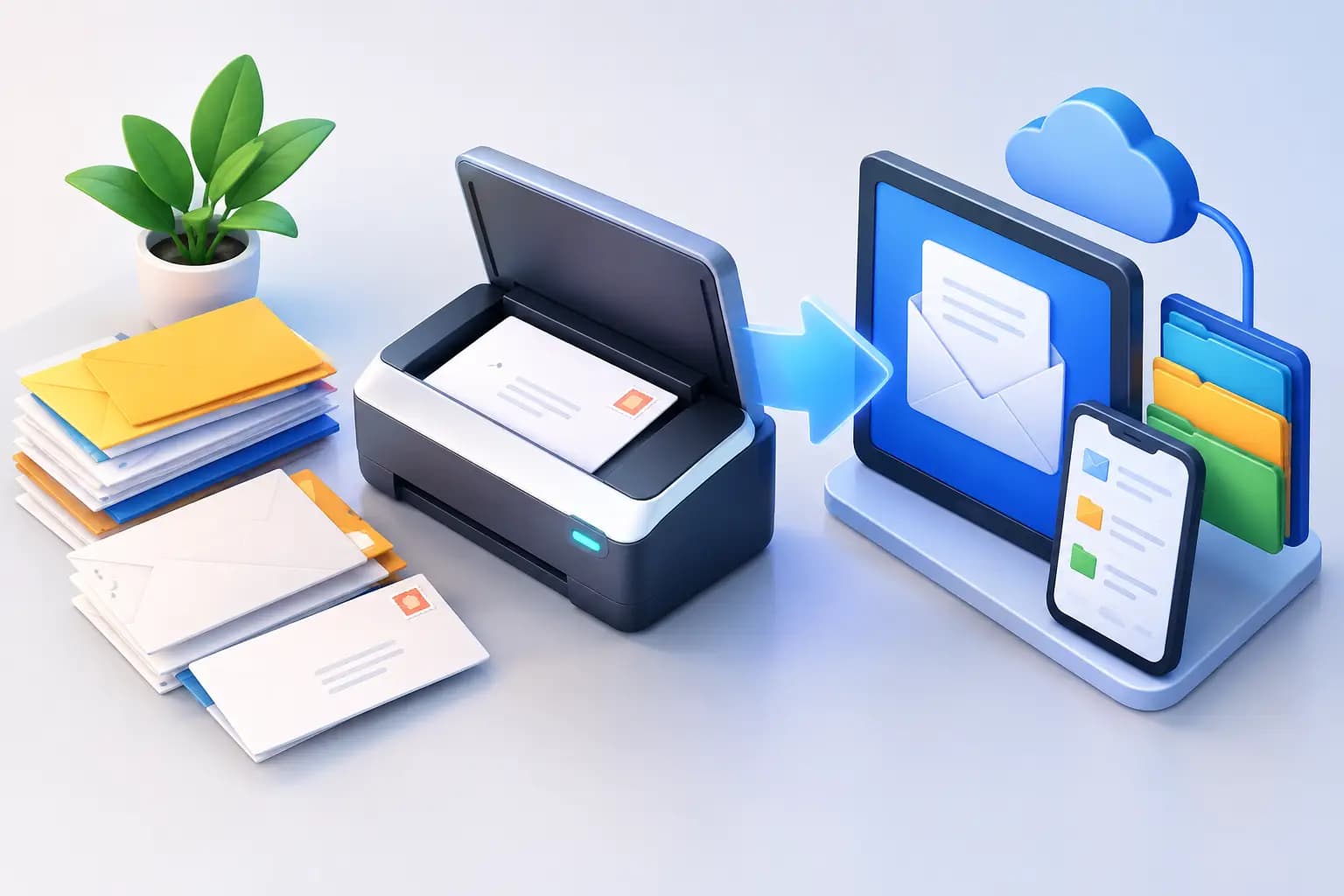
A government notice arrives at your business address while you are meeting a client in another state. A bank letter appears while you are overseas. A vendor sends a paper check when your finance workflow is entirely online. Knowing how to digitize physical mail turns those interruptions into a controlled process: you can see what arrived, decide what matters, and act without being physically tied to a mailbox.
For founders, remote teams, and internationally based business owners, the goal is not simply to make paper into PDFs. It is to create mail management on autopilot while protecting sensitive information, maintaining response deadlines, and preserving the credible U.S. business identity your company needs.
What It Means to Digitize Physical Mail
Digitizing mail is a workflow with three parts: receiving it at a dependable address, creating a secure digital record, and taking the right next action. That action may be reviewing a scanned document, forwarding an original, shredding material you no longer need, depositing a check, or consolidating packages for shipment.
A basic home scanner can handle occasional personal letters. It becomes less practical when mail arrives at a location you cannot regularly access, when several people need visibility, or when the contents include tax correspondence, legal documents, account notices, and customer payments. In those cases, a virtual mailbox with a real commercial street address gives you an operating system for physical mail, not just a scanning service.
Start With a Mail Address You Can Rely On
Before any document can be digitized, it needs to arrive at an address built for business use. A P.O. box may work for some correspondence, but it may not meet the address requirements of banks, state filings, marketplaces, or compliance checks. It also does not provide the commercial documentation some businesses need to verify their presence.
Choose a provider that receives mail in your name or business name at a legitimate commercial location and follows USPS requirements for authorization and mail handling. If you are forming a company, opening a financial account, or completing verification, ask whether the address service can provide formal documentation such as a signed commercial lease and utility bill. Those details can matter as much as the mail scan itself.
Once the address is active, update your records in order of urgency. Start with government agencies, banks, registered-agent and legal contacts, payment processors, insurance providers, key vendors, and customer-facing business listings. This prevents compliance-sensitive documents from continuing to reach an old address long after you have moved on.
Create a Clear Intake and Scanning Workflow
The best digitization process begins with an exterior scan. When a letter arrives, your dashboard should show the envelope or package label so you can identify the sender, recipient, and return address before requesting more work. This gives you visibility without opening every piece of mail by default.
Next, assign a simple decision path. Urgent and relevant items should be opened and scanned. Items you recognize as junk can be securely destroyed. Original documents, cards, or materials with wet signatures may need forwarding. Packages may need to be forwarded individually or consolidated with other shipments to reduce international shipping costs.
For mail you want digitized, request an interior scan through the secure dashboard. The resulting file should be clear enough to read dates, reference numbers, account details, and signatures. A quality workflow also keeps the scan associated with the original mail item, making it easier to trace a document back to its envelope if a question arises later.
Virtual Mail Hub is designed around this practical sequence: see the arrival, request the action, and manage the outcome from one secure dashboard.
Set Rules for What Gets Opened
Do not treat every envelope the same. Create categories before your mail volume grows. Government, legal, tax, banking, payroll, insurance, and customer-payment mail should receive immediate attention. Vendor promotions, catalogs, and irrelevant solicitations can usually be shredded after the exterior scan confirms they are nonessential.
For a small team, designate one person to make opening decisions and another as a backup. For a larger organization, use a shared inbox or documented approval process for legal and financial correspondence. The important point is accountability: someone should own the decision before a deadline passes.
Keep Originals When Digital Copies Are Not Enough
A scan is often sufficient for review, bookkeeping, and reference. It is not always a substitute for the original. Signed contracts, notarized documents, stock certificates, identity documents, payment cards, and some government forms may need physical forwarding or secure storage.
Use a simple rule: if an institution could reasonably ask for the original later, do not destroy it until you understand the retention requirement. Digitize it for fast access, then forward or store the paper copy. This is one of the trade-offs that separates convenient mail scanning from responsible document control.
Organize Digital Mail for Fast Retrieval
A folder full of files named “scan-001” creates a new problem. Use a consistent naming convention that includes the sender, document type, and date, such as “IRS-Notice-2026-09-15” or “Bank-Statement-September-2026.” If your platform provides tags or searchable mail history, use the same categories across your team.
Keep sensitive files in a controlled environment. Limit access to people who need it, especially for tax documents, bank statements, employee records, and legal notices. Individual user accounts are safer than shared passwords because access can be removed when a contractor or employee leaves.
It also helps to separate action from storage. A scanned invoice may go to accounts payable for processing, then be stored with accounting records. A legal notice may go to counsel and be saved in a restricted folder. A marketing offer may need no storage at all. Digitization should reduce clutter, not preserve every piece of paper forever.
Build Security Into Every Step
Physical mail can contain enough information to expose your business or identity. That is why security cannot be an afterthought. Look for controlled facility access, documented mail-handling procedures, encrypted account access, and clear permissions for anyone who can view or request actions on your mail.
Your own habits matter too. Turn on multi-factor authentication, review user access periodically, and avoid downloading sensitive documents to unmanaged public computers. If you work while traveling, use a private connection and sign out of shared devices. A secure dashboard protects the mailbox side of the process, but your team still needs disciplined access practices.
For documents containing account numbers, tax IDs, or personal data, make destruction intentional. Confirm the item is no longer needed, verify that a usable digital record exists if appropriate, then request secure shredding. Keeping paper “just in case” can increase risk when there is no genuine business reason to retain it.
Turn Mail Into an Operating Rhythm
Mail digitization works best when it has a cadence. Review arrival notifications daily or assign a team member to do so. Reserve a short weekly window for nonurgent scans, forwarding requests, and cleanup. For legal, government, and financial senders, set alerts and response owners so a document never waits unnoticed in a queue.
Use the information in your scans to trigger the next business task. A state notice can become a compliance ticket. A check can move to deposit. A supplier invoice can enter your approval process. A package notification can prompt consolidation and forwarding. The value is not merely seeing the letter on a screen. It is shortening the distance between receiving information and making a decision.
Frequently Asked Questions
Can I digitize mail without opening it?
You can digitize the outside of an envelope or package label without opening it. An exterior scan lets you identify the sender and decide whether to request an interior scan, forwarding, shredding, or another action. The contents cannot be scanned until you authorize opening.
Is a scanned copy of mail legally valid?
It depends on the document and the institution asking for it. Scans are widely useful for records, review, bookkeeping, and sharing information quickly. However, some documents require an original signature, original identification, notarization, or physical submission. Keep or forward originals when the requirement is unclear.
How quickly should I review digitized business mail?
Review arrival notifications every business day. Government, legal, banking, tax, and payment-related mail should be addressed immediately because response windows can be short. Promotional mail and routine notices can usually wait for a scheduled review.
Can a remote team access the same digitized mail?
Yes, provided access is managed carefully. Give authorized team members role-appropriate access, keep an owner responsible for sensitive correspondence, and remove access promptly when roles change. A clear permission structure gives your team visibility without turning confidential mail into a shared free-for-all.
Physical mail should not dictate where you work or how fast your business can respond. With a verified address, disciplined scan requests, and secure handling rules, every letter can reach the right decision-maker wherever work takes them.