Key Takeaways
- When Stripe closes an account, it emails the reason to the address on the account and shows a red banner in the Dashboard. The only appeal route Stripe names is the form linked in that email.
- Most closures trace back to 4 things: a prohibited or restricted business, dispute levels above the card networks’ thresholds, credit risk from taking payment long before delivery, or information requests left unanswered.
- Stripe calls dispute activity above 0.75% excessive. Visa starts monitoring at a 0.5% ratio that also counts fraud warnings, and all disputes count, won or lost.
- A reserve holds part of your balance for a set period but doesn’t stop you taking payments. If it can be appealed, the option appears on your Balances page.
- Stripe publishes no fixed number of days it keeps funds after closing an account. You stay liable for refunds and disputes after closure, and cardholders usually have 120 days to dispute.
- A closure for excessive chargebacks or fraud can put the business and its owners on Mastercard’s MATCH list for 5 years, and most processors reject listed merchants.
Why Stripe closed my account: what the closure means
If Stripe closed your account, it decided it can no longer support your business. Stripe says that when this happens "you will be notified via email at the email address registered on your account. The email will state the reason your account was closed", and your Dashboard shows "a red banner at the top with more information" (source). Start with that email. It is the only document that tells you which of the reasons below applies to you.
Stripe doesn’t need a breach to close an account. Its Services Agreement says: "Unless otherwise agreed in writing, Stripe may terminate this Agreement or close User’s Stripe Account at any time" (section 10.1). It can also suspend access immediately if, among other things, it believes your activity "increases, or may increase, the rate of fraud", your business "presents an unacceptable risk to Stripe", you breach the agreement, or you "do not promptly respond to Stripe’s request" for information (source). The agreement’s Australia terms add 30 days’ notice for that kind of termination.
Closure is the last step, not the first
A closure is the last step on a ladder. Stripe says it takes "varying actions" when it thinks the risk of supporting a business is too high: asking for more information, setting a reserve, or closing the account (source). If you’re reading this with a restriction or a reserve rather than a closure, you are earlier on that ladder and have more room to act.
Stripe account restricted, under review, or closed: which one you have
Founders often search for "Stripe account suspended" when what they have is a payout pause. The fix depends on the status, so match what you see to this table first.
| What you see | What it usually means | First move |
|---|---|---|
| Payout date keeps moving | An open verification task. Stripe says this is "most likely" the cause. | Finish every task in Settings > Business > Account status. |
| One payment’s payout delayed | A payout availability delay: Stripe thinks that charge may become a fraud dispute. | Check the order. If it’s genuine, the payout releases 14 days after the notice. |
| Payouts paused, "withdrawal pending" banner | Your balance went negative and Stripe is debiting your bank. | Wait about 3 business days for the debit to clear. |
| Request for invoices, bank statements or photos | A risk or credit review of the business. | Upload what Stripe asks for in the Dashboard, quickly and completely. |
| Part of each payment held | A reserve. You can still take payments. | Read the reserve terms email; look for an appeal option on the Balances page. |
| Red banner, closure email | The account is closed. | Read the reason, export your data, and use the appeal form in the email if Stripe got something wrong. |
Sources for each row: payout postponements (Stripe), payout availability delays (Stripe), negative balance withdrawals (Stripe), review document requests (Stripe), reserves (Stripe) and closures (Stripe). Verification-driven restrictions, where Stripe needs your EIN letter, ID or address proof, are covered step by step in our Stripe verification playbook.
The 6 reasons Stripe closes accounts
Stripe says the level of risk "often comes down to the potential for losses through either fraud or disputes", judged by "the industry you’re operating in, how far in advance your customers buy your products/services, and the reputation or history of your business" (source). In practice, closure emails fall into 6 groups.
1. Your business is on the prohibited or restricted list
Stripe’s Prohibited and Restricted Businesses list (last updated May 13, 2026) splits industries in 2. Prohibited ones can’t use Stripe at all. Restricted ones need "additional due diligence" and prior approval, and that approval "may be modified or revoked by Stripe at any time". Stripe calls the list "representative but not exhaustive" (source).
Some categories catch people out. Stripe’s gambling policy covers "games of skill (or chance) with cash prizes, sweepstakes, pay-in auctions, office pools, or charity raffles". Products with CBD or THC are restricted. Adult content isn’t supported even where it’s legal. Travel reservation clubs, cruises and timeshares aren’t supported (source).
2. Too many disputes or too much fraud
Stripe says the industry standard "recognizes dispute activity above 0.75% as excessive", and that a sudden spike can trigger a card network program before you reach it (source). Staying in a network monitoring program "for an extended time" is one of the reasons Stripe lists for closing an account (source). The next section has the exact numbers.
3. Credit risk: you take the money long before you deliver
Stripe is on the hook when a business takes payment and can’t deliver. Its risk signals include "industries with longer delivery windows" such as travel and events, "long billing periods" such as annual plans and retainers, a sudden jump in refunds, and a sharp volume increase (source). Most of the time this ends in a reserve. A closure comes when Stripe judges the business "very high risk".
4. An unexplained spike in volume
Stripe lists "an unexplainable sharp increase in processing volume" as a reserve trigger (source). A launch, a viral post or a big wholesale order is fine. It becomes a problem when Stripe can’t tell it apart from a fraud attack. If you expect a spike, tell Stripe support before it happens.
5. Information requests left unanswered
If a business "does not promptly respond to Stripe’s request for User Information", the Services Agreement lets Stripe suspend it immediately (source). Stripe calls its document reviews "a required step as a condition of processing" (source). Check the inbox of the email on your Stripe account; many closures start as a request nobody saw.
6. A mismatch between what you told Stripe and what you sell
Stripe checks that "your statement descriptor, and the descriptions of your products and services, are clear and accurate", that customers can find your contact details, refund, cancellation and delivery policies, and that your website meets card network standards (source). Choosing a vaguer industry at signup to avoid review tends to surface later, when Stripe sees what customers actually buy. Stripe’s own appeal wording is about businesses it has "misunderstood or miscategorized", which works both ways.
Stripe dispute rate: the numbers that trigger action
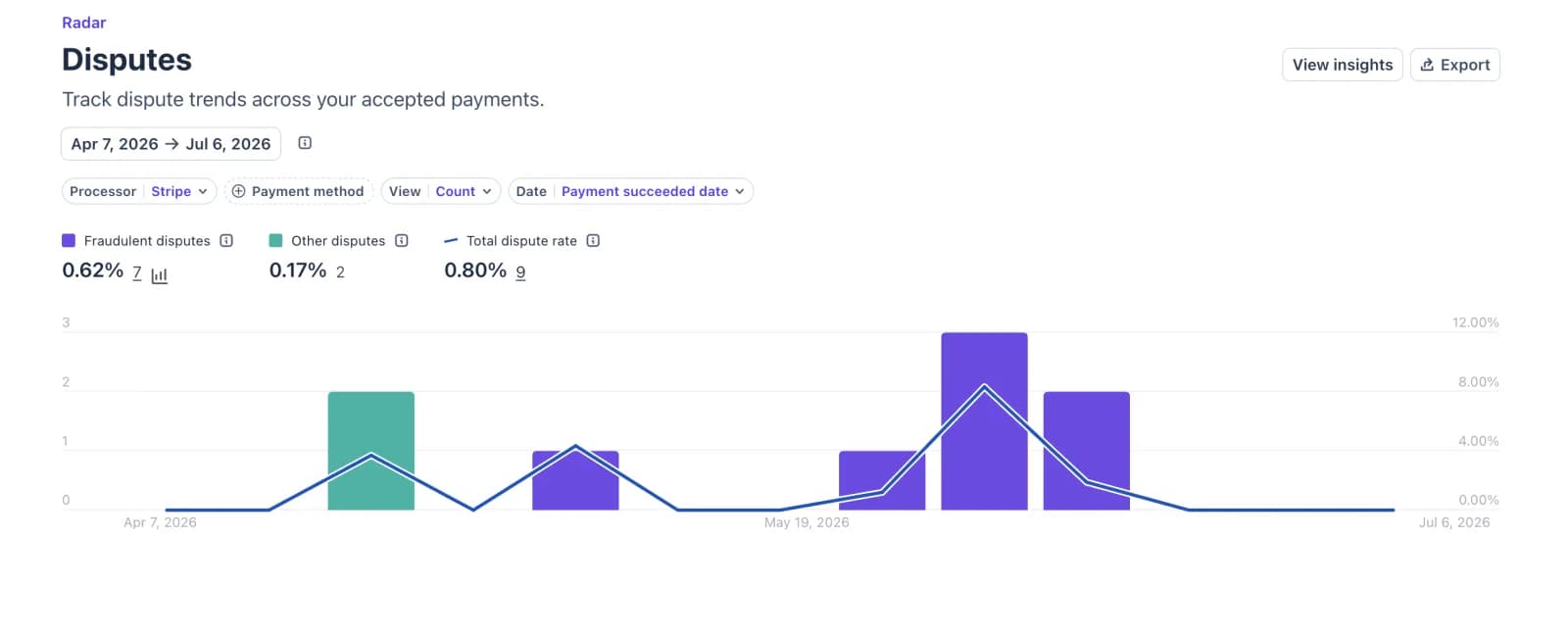
Stripe shows 2 numbers. Dispute activity is disputes received in a period divided by payments in that period. Dispute rate ties each dispute back to the date of the original charge. Card network programs use dispute activity (source). Every dispute counts, won or lost, and a refund doesn’t take a dispute back out of the count (source).
The thresholds, and who sets each one
| Threshold | Who sets it | What it counts |
|---|---|---|
| 0.75% dispute activity | Stripe’s "industry standard" for excessive | Disputes received vs. payments in the same period |
| 0.5% ratio and 5 disputes or fraud reports | Visa VAMP, "non-compliant" level | Disputes plus early fraud warnings vs. captured payments, per month |
| 1.5% ratio and 1,500 (US, EU, Canada) | Visa VAMP, "excessive" level, with fees | Same as above |
| 1.5% rate and 100 chargebacks | Mastercard Excessive Chargeback Merchant | This month’s chargebacks vs. last month’s payments |
| 3% rate and 300 chargebacks | Mastercard High Excessive Chargeback Merchant | Same as above |
Sources: Stripe’s measuring disputes and monitoring programs pages. Mastercard fines start in the second month, at $1,000, and rise to $100,000 a month after 19 months in the lower tier. You leave a Mastercard program after 3 months in a row below the threshold. Fail a program and the network can refuse "to process further payments to you".
Why disputes keep arriving after you stop selling
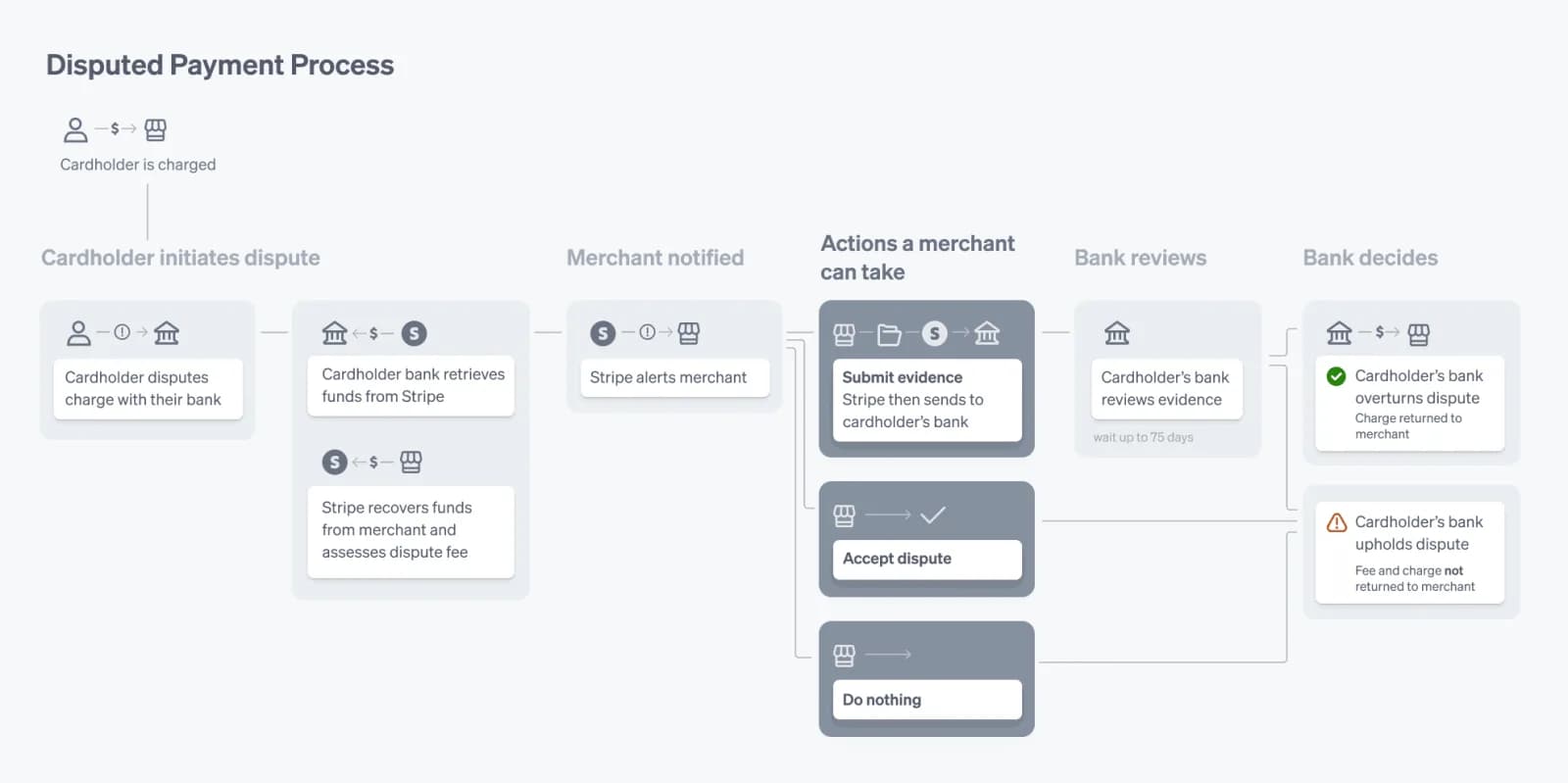
Cardholders can usually dispute within 120 days of a payment, and for prepaid events or travel the clock starts on the event date. A dispute takes 2 to 3 months to resolve. Stripe debits the disputed amount plus a dispute fee from your balance the moment it arrives (source). That timing is why Stripe keeps funds after a closure.
Why Stripe Closed My Account
Unlock the Full Guide & Checklist
Enter your business email to read the rest of this breakdown, download the PDF edition, and receive official compliance updates.
Stripe account closed: what to do in the first 48 hours
Once the account is closed you can’t take new payments. The goal for the next 2 days is to protect your records, your customers and your cash, then decide whether to appeal.
How to appeal a Stripe account closure
Stripe names one route: "If you believe that we’ve misunderstood or miscategorized your business and would like us to conduct another review of your account, please complete the form linked in the email." The form sends you to the Dashboard to add information about your business (source). There is no published success rate and no guarantee, so treat the appeal as one well-built submission, not a series of messages.
What to send: Stripe’s own document list
Stripe publishes what it wants during a business review. Build your appeal from it (source):
- Itemized customer invoices, one line per item or service.
- Recent bank statements, or statements from your previous payment processor.
- For physical products: 3 non-stock photos of your inventory showing the quantity you keep, with a sheet of paper showing the date in the photo. No sealed boxes.
- For physical products: supplier purchase orders or shipment tracking numbers from the last 60 days, with your business address clearly shown.
- For US nonprofits: the IRS 501(c) determination letter.
How to write it
- Answer the reason in the email, not the one you assume. If Stripe says "unsupported business", explain exactly what you sell and why it isn’t in that category.
- Describe the business in 3 or 4 plain sentences: what customers buy, when they pay, when they receive it, and how they reach you.
- If disputes were the problem, give the numbers, the cause and what you changed: 3D Secure, clearer descriptor, faster refunds, cancellation button.
- Point to your live refund, cancellation and delivery policies and your contact page. Stripe checks those (source).
- Keep it factual. Stripe asks for "as much detail as possible" with supporting documents so it can decide faster (source).
If you sold something Stripe doesn’t support
Remove it first. Stripe asks you to "send us a link to the page showing that you have removed them", by replying to the email about your prohibited items or through its support site (source). For CBD, Stripe says you can keep processing non-CBD products once "all unsupported items" are gone and you ask for a second look.
If the appeal fails
The Services Agreement sends disputes to binding individual arbitration. Before starting one, you must send Stripe a written notice of dispute and give it 30 days to resolve the matter (section 11.4) (source). For most founders the practical path is a processor that accepts their business type and dispute history, while the Stripe balance is paid out.
Stripe holding funds: reserves and payout holds
If Stripe is holding your money but the account is open, you almost always have a reserve. Stripe defines it as "a temporary hold on a portion of a business’s funds for a predetermined period of time", and adds that "reserves do not impact a business’s ability to continue accepting payments with Stripe" (source).
Why Stripe places a reserve
- Your industry has longer-than-average delivery windows.
- There is an increased risk you won’t fulfill customer orders.
- The account has elevated dispute activity.
- Processing volume jumped sharply without explanation.
Stripe weighs "industry conditions, payment activity, dispute rate, refund rate, and financial stability" to size it (source).
Fixed vs. rolling reserve
| Type | How it holds money | When it releases |
|---|---|---|
| Fixed reserve | A set percentage of each payment, or a set amount, until a date. | All at once on the release date. |
| Rolling reserve | A set percentage of each payment for a set number of days. | Each payment’s share releases when its window ends, for example 60 days after the charge. |
Stripe uses both types (source). The mechanics in the table come from Stripe’s reserves documentation for platforms, which describes the same fixed and rolling models (source). If a customer refunds or disputes a reserved payment, Stripe uses that payment’s reserved share first.
How long does Stripe hold funds in a reserve?
For the period in the reserve email. Stripe sends "information about the terms of the reserve, including the amount or percentage of funds that will be held, and time period". A few days before it ends, Stripe runs another credit review and may remove, lower or raise it. "In some rare cases, a reserve may be required indefinitely" (source). You can see the reserve in the "Reserve" pane on the Balance page.
How to appeal a reserve
"If a reserve can be appealed, the option will appear on the Balances page in the Dashboard. If you do not see this option in your Dashboard and would like to appeal, contact us" (source). Send the same kind of evidence as a closure appeal: invoices, delivery proof, bank statements and your dispute trend.
Other holds that look like a reserve
- Payout availability delay: one charge Stripe thinks will become a fraud dispute. If it’s legitimate, "the payout for this charge will automatically be released 14 days from the notification date" (source).
- Negative balance: payouts pause while Stripe debits your bank; the withdrawal takes about 3 business days (source).
- Open verification task: payouts keep moving to a later date until you finish it (source).
Stripe closed my account with money in it: getting your funds out
Stripe publishes no standard number of days it keeps a balance after closing an account. The Services Agreement doesn’t set one either; it defines a reserve as "collateral funds which Stripe holds and controls to satisfy any liabilities or potential liabilities" and lets Stripe set off what you owe against your reserve, balance and bank account (sections 7.2 and 12) (source). The terms that apply to you are in your closure email. Blogs quoting "90 to 180 days" cite no Stripe source.
What drives the timing is the dispute window. Cardholders usually have 120 days from the payment, longer for prepaid events and travel (source), and termination doesn’t "relieve User of its obligation to pay any amounts payable to Stripe" (Services Agreement, section 10.2). Stripe holds enough to cover what could still come back.
How to speed it up
If the balance is negative
A closed account can still go negative when late disputes arrive. Stripe can recover the amount from your bank account or a backup payment method (Services Agreement, section 7.2(c)). It won’t close an account voluntarily while the balance is negative (source).
The MATCH list: when a Stripe closure follows you
Mastercard’s MATCH and Visa’s VMSS are terminated merchant files. Acquirers must report merchants they terminate "for fraud, severe policy violations, or excessive chargebacks", and must screen every new applicant against them. Most processors turn down a business, or a principal owner, that is on one of these lists, and a listing stays active for 5 years (source).
| MATCH reason | Threshold in one calendar month |
|---|---|
| Code 4: excessive chargebacks | Mastercard chargebacks above 1% of Mastercard sales transactions and $5,000 or more |
| Code 5: excessive fraud | Fraud-to-sales of 8% or more, with 10 or more fraud transactions totaling $5,000 or more |
- The listing names the business and its owners: legal name, DBA, address, phone, tax ID, website, and each principal owner’s name, address, phone and tax ID.
- Closing your account first doesn’t prevent a listing.
- Stripe doesn’t disclose MATCH information to users. If you don’t know which bank listed you, Mastercard takes requests at [email protected].
- A listing is only removed if it was added in error, or for PCI non-compliance once you’re compliant. Resolving the chargebacks later doesn’t remove it.
All points above are from Stripe’s terminated merchant files page, which also says a MATCH listing "generally disqualifies a merchant from processing with Stripe".
How to close a Stripe account yourself
If you’re moving on by choice, the account owner closes it in the Dashboard at Settings > Business > Account details, then Close account at the bottom of the page (source). Before you do:
How to keep Stripe from closing your account
The prevention list below comes straight from what Stripe says it reviews. Run it before launch and again every quarter.
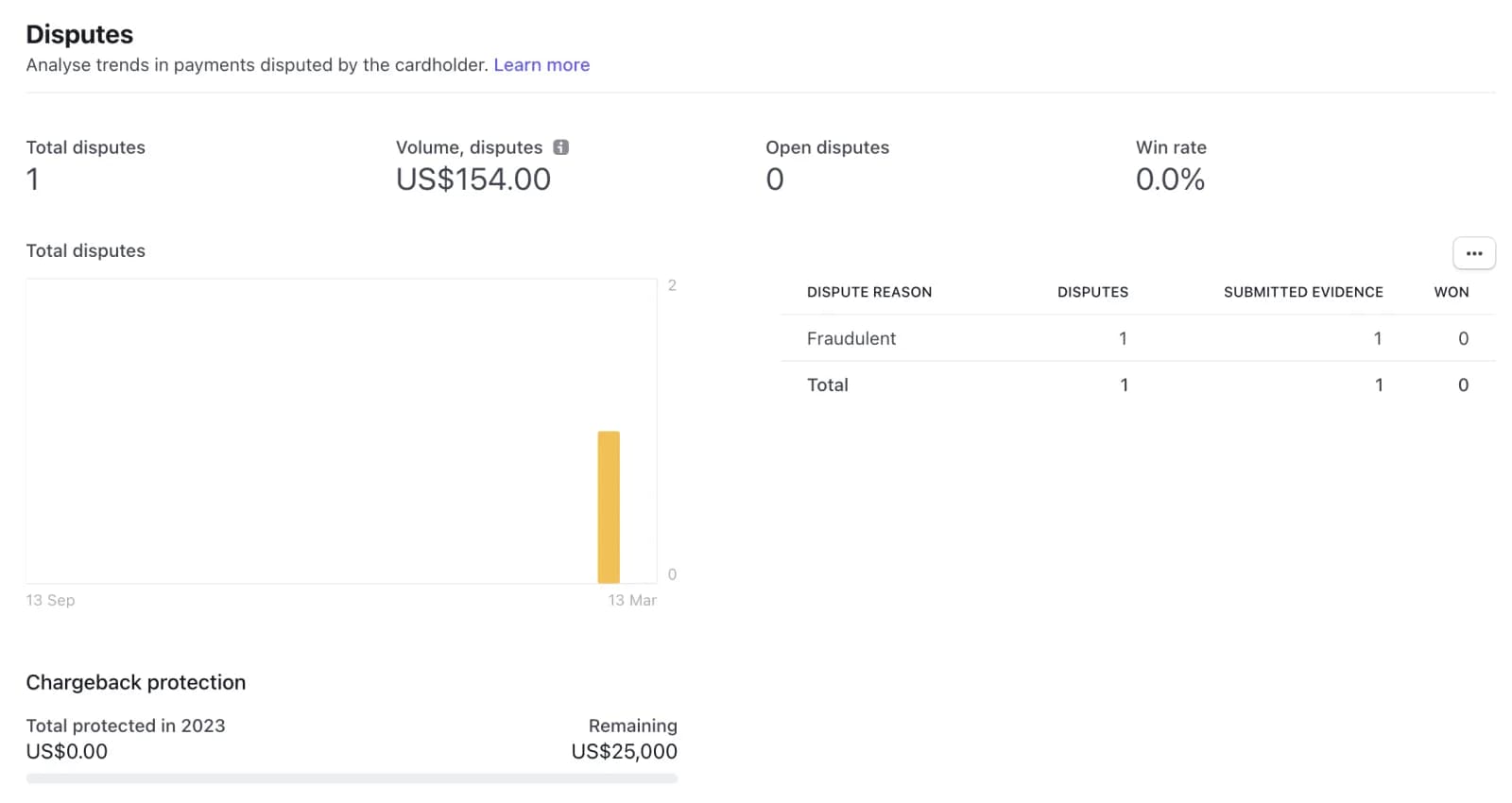
Stripe’s own dispute prevention guide goes deeper on fraud rules and evidence. If you’re a non-US founder setting up a US company for Stripe, start with the verification playbook and our EIN guide; most early restrictions come from mismatched details, not risk.
Frequently asked questions
Why did Stripe close my account?
The reason is in the closure email Stripe sends to the address on your account. Most closures come from a prohibited or restricted business, dispute or fraud levels above card network thresholds, credit risk from long delivery windows, or information requests left unanswered.
Can I appeal a Stripe account closure?
Yes, if you think Stripe misunderstood or miscategorized your business. Use the form linked in the closure email. It takes you to the Dashboard to add information. Include invoices, bank or processor statements and, for physical goods, supplier orders or tracking from the last 60 days.
What happens when Stripe closes your account?
You can’t take new payments, and Stripe may hold your balance to cover refunds and disputes that can still arrive. You remain liable for those disputes. Scheduled payouts still go out, and Dashboard access becomes limited, so export your reports first.
Stripe closed my account with money in it. Will I get it back?
Usually, minus any refunds, disputes and fees it has to cover. Stripe publishes no standard hold period; the terms are in your closure email. Keep your linked bank account open and ask support in writing for the expected release date.
How long does Stripe hold funds?
A reserve lasts for the period stated in the reserve email, and Stripe re-reviews it a few days before it ends. A payout availability delay on a single charge releases after 14 days. After a closure there is no published period; the card dispute window is usually 120 days.
What is a Stripe rolling reserve?
A rolling reserve holds a percentage of each payment for a set number of days, then releases each payment’s share when its window ends. A fixed reserve holds funds until one release date. Both let you keep accepting payments.
What dispute rate is too high for Stripe?
Stripe treats dispute activity above 0.75% as excessive. Visa’s monitoring starts at a 0.5% ratio that also counts early fraud warnings, and Mastercard’s at 1.5% with 100 chargebacks. Won disputes still count.
Is my Stripe account suspended or closed?
A closure comes with an email stating the reason and a red Dashboard banner. A payout pause, a reserve or a document request is a restriction, and the account keeps working once you resolve it.
Can I open a new Stripe account after Stripe closed mine?
Opening a new account for the same business rarely helps, because Stripe reviews the business and its owners. Appeal the original decision or fix the reason first. If the closure was for excessive chargebacks or fraud, a MATCH listing may also block other processors.
What is the MATCH list?
Mastercard’s database of merchants terminated for fraud, severe violations or excessive chargebacks. Listings last 5 years and name the business and its owners. Stripe doesn’t disclose MATCH information; only the bank that added you can remove a listing, and only if it was added in error.
Does Stripe close accounts for political views?
Stripe says it does not discriminate based on political affiliation or viewpoints, and that restrictions come from legal, regulatory or financial partner obligations. It also says it may not be allowed to share full details in some cases.
How do I delete or close my Stripe account?
The account owner goes to Settings > Business > Account details in the Dashboard and clicks Close account. Pay out the balance first, export your data, and remember you stay liable for refunds and disputes after closing.
Can a closed Stripe account be reopened?
An account you close yourself can’t be reopened. For an account Stripe closed, the route is the review form linked in the closure email.