You can summarize the following content using these AI tools:

A bank asks for proof of address. A state agency sends a deadline-sensitive notice. A customer emails a signed agreement to three people who should not all have the same level of access. For remote businesses, documents do not become less sensitive because the team is distributed. This guide to secure document sharing explains how to move critical records quickly while keeping control over who can see, download, forward, or act on them.
The goal is not to create friction around every file. It is to build a simple system that gives founders, operators, and authorized partners the right information at the right time, without turning email inboxes and personal devices into an uncontrolled archive.
Start With the Document, Not the App
Secure sharing starts with classification. A marketing draft and a government notice should not follow the same path. Before choosing a folder structure or collaboration tool, decide what each document category requires.
For most remote businesses, records fall into three practical groups. Routine documents include non-sensitive operating files, such as public-facing assets and standard vendor materials. Internal documents include budgets, contracts, customer information, and business plans. Restricted documents include banking records, tax filings, identity documents, legal notices, signed leases, utility bills, and any correspondence that could expose personal information or create a compliance risk.
The more sensitive the document, the narrower the access should be and the clearer the record of activity needs to be. A restricted file may need a named owner, a defined retention period, and a second person who can act if the owner is unavailable. This is especially relevant for founders abroad or teams operating across time zones. A notice that sits unopened for two days can become an operational problem even if it was technically delivered safely.
Build One Controlled Sharing Path
The strongest policy is usually the one people can follow under pressure. If a team has five different ways to send documents, someone will eventually choose the fastest and least secure option.
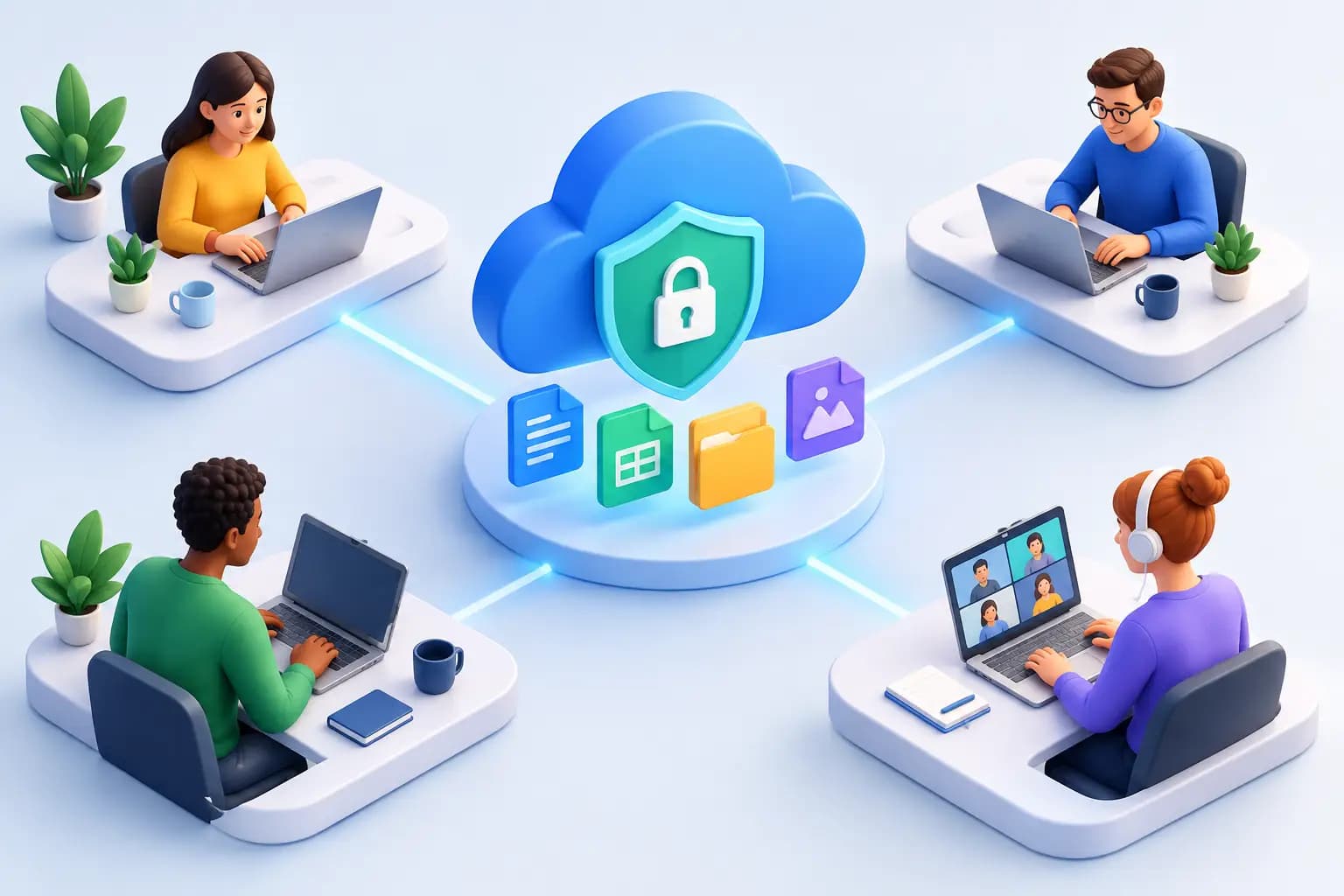
Create a single approved route for sensitive documents: a secure dashboard or controlled document workspace with individual user accounts. Avoid sending full records through ordinary email when a notification can point the recipient to the file instead. Email is useful for alerts and context, but it is a poor long-term vault for identity documents, financial statements, and formal mail.
For physical mail, the same principle applies. Mail should arrive at a dependable business address, be logged, and be digitized only when requested or permitted. A platform such as Virtual Mail Hub gives remote owners a secure dashboard for viewing mail, assigning instructions, and keeping sensitive correspondence out of a home mailbox or a teammate's personal inbox.
A controlled path should answer four questions immediately: where the document lives, who owns it, who can access it, and what action is required next. If any answer is unclear, the file is not truly under control.
Set Access by Role and Purpose
Document security is not just about blocking outsiders. It also means avoiding unnecessary internal exposure. A bookkeeper may need invoices and bank statements but not passport copies. A registered agent or legal adviser may need an entity filing but not ongoing access to every operating record.
Use role-based permissions where possible. Give people the minimum access needed to complete their work, then review that access when their role changes. For one-time needs, use time-limited access or share a redacted version instead of granting permanent entry to a full folder.
This approach has a trade-off. Tighter access can add a few minutes when a team member needs approval, while broad access feels convenient until the wrong document is downloaded, forwarded, or retained after a contractor leaves. For compliance-sensitive records, the short delay is generally worth it.
Use separate access levels for viewing, downloading, editing, and sharing. Viewing a bank letter is different from downloading it to a personal laptop. Editing a contract is different from sending it outside the company. Those distinctions reduce accidental exposure without making collaboration difficult.
A Guide to Secure Document Sharing: Essential Controls
The technology matters, but only when its controls are used consistently. Your approved workspace should support strong account protection, activity visibility, and administrative control. At a minimum, establish these safeguards:
- Require multi-factor authentication for every account that can access internal or restricted records.
- Use individual logins, never shared team passwords, so activity can be traced to a person.
- Keep an access log for restricted documents, including views, downloads, edits, and permission changes.
- Encrypt files in storage and while they are being transferred.
- Set expiration dates for external sharing and remove access promptly when a project or engagement ends.
- Maintain a backup that is separate from the main workspace and test whether files can actually be restored.
Encryption protects a file from being read in transit or if storage is compromised. It does not solve an overly broad permission setting, a stolen login, or a recipient who downloads a document to an unmanaged device. That is why access design and account security must work together.
For high-risk documents, consider whether the recipient truly needs the entire file. Redacting account numbers, identification numbers, signatures, or unrelated personal details can lower the consequences of a mistake. Send only the pages and fields needed for the task.
Give Physical Mail the Same Security Standard
Remote companies often focus on digital security and forget that some of their most sensitive records begin as paper. Government notices, banking correspondence, tax documents, checks, legal mail, and verification requests may arrive physically before they enter a digital workflow.
A commercial street address can make that workflow more reliable and more professional than a personal residence or a P.O. box. It also gives the business a stable place to receive mail while owners travel, move, or operate internationally. When the address is supported by formal documentation such as a signed commercial lease and utility bill, it can help support business formation, account verification, and other proof-of-address needs.
The security question is not simply whether mail is scanned. Ask how mail is received, whether the handling process is USPS-compliant, who can request an open-and-scan action, where the digitized image appears, and what happens to the physical original afterward. Depending on the document, forwarding, secure storage, check deposit, or shredding may be the right instruction.
Set default instructions carefully. Routine flyers can be shredded. A tax notice may need an immediate scan and a named reviewer. A check may need deposit instructions. A package containing inventory samples may need forwarding or consolidation. Mail management on autopilot works best when the rules are specific enough to handle the ordinary without overlooking the exceptional.
Create an Escalation Rule for Time-Sensitive Records
Security and speed should not compete. A document can be well protected and still mishandled if no one recognizes its urgency.
Assign a primary and backup reviewer for restricted mail and documents. Define what triggers an alert: government correspondence, court or legal notices, account-verification requests, payment issues, unusual banking letters, or anything with a deadline. The reviewer should know whether to acknowledge receipt, route the file to legal or finance, request forwarding, or archive it after action is complete.
A short response standard is more useful than a vague instruction to check documents regularly. For example, urgent notices can require same-business-day review, while routine internal files can be handled within a defined operating window. If your team spans countries, identify the person responsible during U.S. business hours rather than assuming someone will see the notification.
Retain Less, Protect More
Keeping every file forever is not a security strategy. The longer a sensitive document remains in multiple systems, inboxes, downloads folders, and old devices, the more opportunities exist for accidental disclosure.
Build a retention schedule around business, tax, legal, and contractual needs. Keep original documents when required, but delete duplicates and temporary downloads after the task is complete. When records reach the end of their retention period, use a documented deletion or shredding process rather than leaving the decision to chance.
This is where a clear owner matters. Someone should be accountable for deciding whether the business needs the original, a secure digital copy, or neither. The answer depends on the record and applicable obligations, so confirm requirements with qualified legal, tax, or compliance professionals when the stakes are high.
Train for Everyday Mistakes
Most document incidents are not sophisticated attacks. They are a file sent to the wrong email address, an ex-contractor whose access was never removed, a password reused across tools, or a document downloaded to an unprotected computer.
Keep training practical. Show team members how to recognize a suspicious sharing request, verify a recipient before sending, use the approved workspace, and report an error immediately. A fast report gives the business a chance to revoke access, change credentials, or assess what was exposed.
Make secure behavior the easy default. When your team has a clear dashboard, defined permissions, and simple mail instructions, document handling becomes part of normal operations rather than an emergency process.
Frequently Asked Questions
What is the safest way to share sensitive business documents?
Use a controlled document workspace with individual accounts, multi-factor authentication, role-based permissions, encrypted transfer and storage, and activity logs. For outside recipients, provide only the necessary pages, set an expiration date, and remove access after the purpose is complete.
Should I send bank statements or identity documents by email?
Avoid sending full sensitive documents through ordinary email when a secure workspace is available. If email is unavoidable, verify the recipient independently, send the minimum necessary information, and use a protected method approved by your business. Do not rely on email alone as your permanent record archive.
How can a virtual mailbox support secure document sharing?
A virtual mailbox can receive business mail at a commercial street address, notify you when it arrives, and place requested scans in a secure dashboard. Authorized users can review a government notice, banking letter, or verification document remotely, then direct forwarding, shredding, check deposit, or other next steps without exposing mail to a personal home address.
Who should have access to compliance documents?
Only people with a direct business need should have access. Typically, that may include a founder, finance lead, legal adviser, or authorized operations manager. Give each person the lowest permission level that lets them do their job, and review access whenever responsibilities change.
A secure document process should make a remote business faster, not harder to run. When every important record has a controlled home and a clear next action, your team can keep moving from wherever work takes you.